
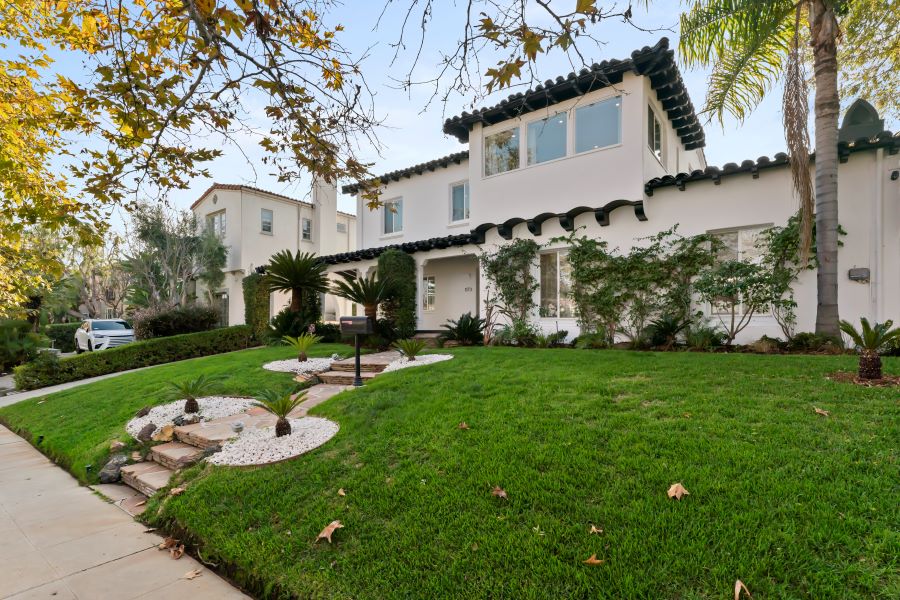
Real estate videos have become one of the most effective ways to showcase properties online. From cinematic property tours to short Instagram Reels, high-quality video can help listings attract more attention and create a stronger first impression.
However, producing professional property videos requires the right tools. The best Real Estate Video Editing software should make it easy to improve footage, adjust colors, add music, create transitions, and export videos for different platforms.
In this guide, Foto-Homes explore the top 8 best real estate video editing software in 2026, covering options for beginners, professional editors, agents, photographers, and real estate marketing teams.
What to Look for in Real Estate Video Editing Software
Before choosing an editor, consider the features that matter most for property marketing:
- 4K video support
- Color correction and exposure adjustment
- Smooth transitions and effects
- Audio and background music tools
- Text, logos, and branding
- Social media aspect ratios
- Drone and walkthrough video support
- AI-powered editing features
- Fast rendering and exporting
The right software depends on your experience, budget, computer, and the type of real estate content you produce.
1. Adobe Premiere Pro – Best for Professional Editing
Adobe Premiere Pro remains one of the strongest choices for professional Real Estate Video Editing. It provides advanced timeline editing, color correction, audio tools, motion graphics integration, and extensive export options.
It is particularly useful for real estate photographers, videographers, and agencies producing high-end property tours. Editors can combine drone footage, interior walkthroughs, voiceovers, music, and branded graphics in one project.
Best for: Professional real estate videographers and agencies.
Main advantage: Advanced creative control.
Potential drawback: The learning curve can be challenging for beginners.
2. DaVinci Resolve – Best Free Professional Software
DaVinci Resolve is an excellent option for editors who want professional features without immediately paying for a subscription. Its free version offers powerful editing, color grading, visual effects, and audio post-production tools.
For property videos, its color-grading capabilities are especially valuable. Editors can create bright, natural interiors while maintaining consistent colors between rooms and outdoor footage.
Best for: Professional-quality editing on a budget.
Main advantage: Powerful free version and excellent color tools.
Potential drawback: Beginners may need time to learn the interface.
3. Final Cut Pro – Best for Mac Users
For Apple users, Final Cut Pro offers a fast and professional editing workflow. It is optimized for Mac hardware and is well suited to property walkthroughs, drone footage, and promotional videos.
Its Magnetic Timeline helps editors organize clips quickly, while its professional effects and color tools allow creators to produce polished listing videos.
Best for: Mac-based real estate photographers and videographers.
Main advantage: Fast performance and an efficient workflow.
Potential drawback: Available only within the Apple ecosystem.
4. CapCut – Best for Social Media Real Estate Videos
CapCut has become a popular choice for creators who need to produce videos quickly. Its simple interface, templates, captions, transitions, and AI-powered features make it suitable for short-form property content.
Real estate agents can use CapCut to turn property footage into Instagram Reels, TikTok videos, and YouTube Shorts without spending hours learning complicated editing software.
Best for: Social media marketing and quick property videos.
Main advantage: Easy to learn and fast to use.
Potential drawback: Advanced professional workflows are more limited than Premiere Pro or DaVinci Resolve.
5. Filmora – Best for Beginners
Filmora is designed for users who want professional-looking results without a steep learning curve. Its straightforward interface includes transitions, effects, text tools, music, and AI-assisted features.
For agents who edit their own listing videos, Filmora provides a useful balance between simplicity and creative control.
Best for: Beginners and independent real estate agents.
Main advantage: Easy interface with many built-in effects.
Potential drawback: Some advanced features require paid plans.
6. Canva – Best for Branded Property Content
Canva is more than a graphic design platform. Its video editing tools make it useful for creating simple property advertisements, social media videos, listing presentations, and branded content.
Users can combine property clips with logos, contact information, animations, text, and music using ready-made templates.
Best for: Agents and marketing teams creating branded social content.
Main advantage: Simple design and branding workflow.
Potential drawback: It does not provide the same advanced timeline control as professional editors.
7. InVideo – Best for Template-Based Real Estate Marketing
InVideo is a convenient option for marketers who want to create promotional videos quickly. Templates can help transform property information, photos, video clips, and text into marketing content.
This can be useful when an agent needs multiple videos for different listings or social media campaigns.
Best for: Fast property marketing and template-based videos.
Main advantage: Quick content creation.
Potential drawback: Less flexibility than traditional professional editing software.
8. iMovie – Best Free Option for Apple Beginners
For Apple users who need basic Real Estate Video Editing, iMovie remains a simple starting point. It provides essential trimming, transitions, titles, music, and video export tools.
It is suitable for straightforward walkthrough videos and short property presentations when advanced effects are not necessary.
Best for: Beginners and simple property videos.
Main advantage: Free and easy to use on supported Apple devices.
Potential drawback: Limited professional features compared with Final Cut Pro.
Comparison of the Top 8 Real Estate Video Editing Software
| Software | Best For | Skill Level |
|---|---|---|
| Adobe Premiere Pro | Professional property videos | Advanced |
| DaVinci Resolve | Free professional editing | Intermediate–Advanced |
| Final Cut Pro | Mac-based editing | Intermediate–Advanced |
| CapCut | Social media videos | Beginner |
| Filmora | Easy professional editing | Beginner–Intermediate |
| Canva | Branded marketing videos | Beginner |
| InVideo | Template-based content | Beginner |
| iMovie | Basic Apple video editing | Beginner |
How to Choose the Best Software for Real Estate Video Editing
The best software depends on your workflow. Professional videographers who need maximum control should consider Premiere Pro or DaVinci Resolve. Mac users looking for speed may prefer Final Cut Pro.
For agents who mainly create social media content, CapCut or Canva can be more practical. Beginners who want a traditional desktop editor can start with Filmora, while iMovie is a good free option for basic Apple-based projects.
Final Thoughts
Choosing the right Real Estate Video Editing software can make property marketing faster, easier, and more professional. In 2026, there are excellent options for every skill level and budget.
Adobe Premiere Pro is a strong choice for professionals, DaVinci Resolve offers exceptional value, and Final Cut Pro is ideal for Mac users. Meanwhile, CapCut, Filmora, Canva, InVideo, and iMovie provide simpler solutions for agents and creators.
Ultimately, the best real estate video editing software is the one that fits your workflow and helps you consistently produce attractive property videos that capture buyers’ attention.
