
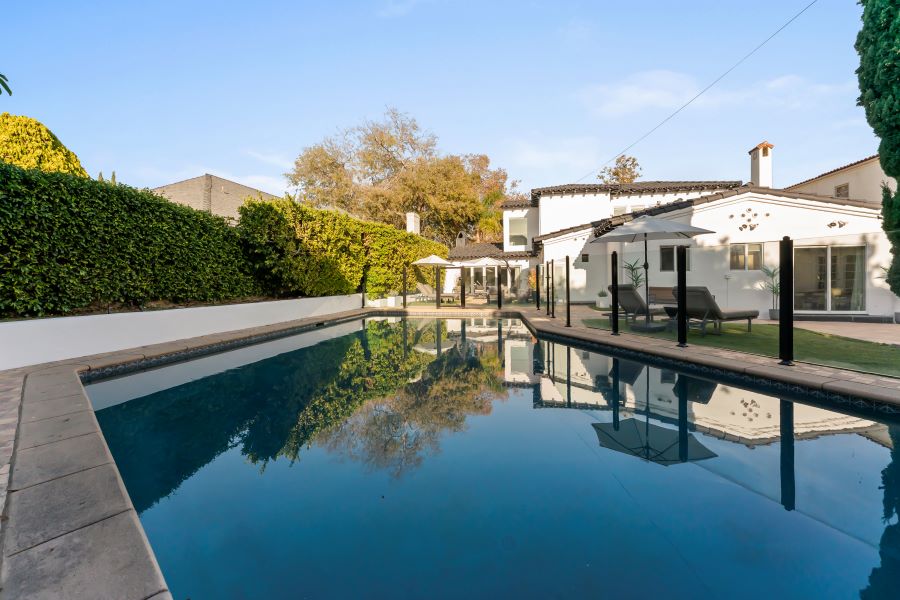
Real estate photos play an important role in attracting potential buyers. Bright rooms, natural colors, and clear details make a property look more appealing. However, even a beautiful photo can look unprofessional if its colors are incorrect. This is where White Balance becomes important. It helps keep colors natural and makes white surfaces appear white instead of yellow, blue, or green. Consistent white balance also helps every photo in a property listing look like part of the same collection.
In real estate photo retouching, the goal is simple. Every image should look clean, natural, and close to the property’s real appearance. With the right shooting and editing techniques, you can achieve consistent colors across an entire set of property photos.
What Is White Balance in Real Estate Photography?
White balance is a camera setting that corrects the color effect of different light sources. It helps ensure that white and gray objects appear neutral in a photograph.
Different light sources create different color tones. Sunlight may produce a cooler or warmer appearance depending on the conditions. Indoor bulbs often create yellow or orange tones. Some fluorescent and LED lights can add green or blue color casts.
Without proper white balance, white walls may look yellow, wooden floors may appear too orange, and kitchen cabinets may look blue. These color changes can make a property look different from its real appearance.
Correct white balance helps preserve the natural colors of walls, floors, furniture, and other interior details. It also creates a professional and consistent look across property listings.
Why Color Consistency Matters in Real Estate Photo Retouching
Color consistency is essential when editing multiple photos of the same property. Buyers often view several images together. If one room looks warm and another looks unusually cool, the complete gallery may feel inconsistent.
Here are three important benefits of consistent colors.
1. Creates a Professional Look
Consistent colors make a property gallery look organized and polished. They help connect different rooms and create a smooth visual experience.
2. Shows the Property Accurately
Correct color balance helps buyers understand the real appearance of walls, furniture, flooring, and other materials. This supports clear and honest property presentation.
3. Improves Visual Appeal
Natural colors make rooms look inviting without making them appear artificial. Balanced tones also help viewers focus on the space, lighting, and design.
Color correction helps improve visual quality and restore more accurate colors.
7 Tips to Keep Colors and White Balance Consistent
1. Start With the Right White Balance Settings
Good color correction begins before editing. When taking real estate photos, pay attention to the lighting in each room.
Auto white balance can work well in simple lighting conditions. However, it may produce different color results when the lighting changes between rooms.
For greater control, use a fixed Kelvin setting or a custom white balance when appropriate. Choose settings that suit the scene and check the results on your camera screen.
Remember that different rooms may need different adjustments. The goal is not to use one setting everywhere. It is to achieve a consistent, natural result across the final images.
2. Shoot in RAW Format
RAW files preserve more image information than JPEG files. This gives you greater flexibility when adjusting white balance during editing.
For example, if a living room looks too yellow, you can adjust the color temperature in your editing software. You can also correct unwanted green or magenta tones.
RAW files are especially useful when working with mixed lighting. They allow you to make more precise corrections while maintaining image quality.
Whenever possible, shoot in RAW to make your real estate photo retouching workflow easier and more reliable.
3. Use a Gray Card for Accurate Colors
A gray card is a simple tool for improving white balance. It provides a neutral reference under the lighting conditions of a scene.
Before photographing a room, take a reference photo with the gray card placed in the light. During editing, use the white balance eyedropper in your software to sample the neutral gray area.
The software can then correct the overall color temperature and tint.
This technique reduces guesswork and helps you achieve more accurate colors. It is particularly useful when photographing several rooms under similar lighting conditions.
4. Correct Color Temperature and Tint
Color temperature and tint are two important controls in photo retouching.
-
- Temperature: Adjusts the image between warm yellow tones and cool blue tones.
-
- Tint: Adjusts the image between green and magenta tones.
If a room looks too orange, reduce the warmth slightly. If white walls look green, adjust the tint toward magenta as needed.
Make small changes and check the result carefully. Avoid extreme adjustments that make the room look cold or unnatural.
The goal is to create balanced colors while preserving the property’s original character.
5. Match Colors Across All Photos
One of the most important steps is matching the images in a property gallery.
Start by selecting a well-balanced photo from the shoot. Use it as a reference for the remaining images with similar lighting conditions.
In editing software such as Adobe Lightroom, you can synchronize white balance and other basic adjustments across several photos. You can then fine-tune each image where needed.
Do not apply the same settings blindly to every photo. A bright kitchen and a dim bedroom may have different lighting conditions.
Instead, compare the images side by side. Check the walls, ceilings, floors, and other neutral surfaces to make sure the colors feel consistent.
6. Pay Attention to Mixed Lighting
Mixed lighting is a common challenge in real estate photography. A single room may have daylight from windows, warm ceiling lights, and cool LED lighting.
These different light sources can create several color casts in one image. A single global white balance adjustment may not fix every area.
Start by correcting the overall white balance. Then use local adjustments, masks, or selective color correction to address remaining problems.
For example, you may need to reduce a yellow cast near a ceiling lamp while keeping the daylight near a window natural.
Avoid removing every warm tone. Some lighting is naturally warm, and preserving it can help the room look realistic.
7. Review the Final Images Before Delivery
Always review the complete gallery before delivering the edited photos.
Look at the images together rather than checking each one separately. This makes color differences easier to notice.
Check for these common problems:
-
- White walls that change from yellow to blue between photos.
-
- Wooden floors that appear too orange or too gray.
-
- Green or magenta color casts.
-
- Overly saturated furniture and decorative objects.
-
- Different brightness and color tones in similar rooms.
Also, view the images on a reliable, properly calibrated monitor when possible. This helps you make more dependable color decisions.
A final review can prevent small editing mistakes from affecting the entire property listing.
Common White Balance Mistakes to Avoid
Even experienced editors can make color correction mistakes. One common problem is making every room look perfectly white. This can remove natural warmth and make the images feel artificial.
Another mistake is increasing saturation too much. Strong colors may look attractive at first, but they can misrepresent the property’s finishes.
Relying only on automatic white balance can also create inconsistent results. Finally, copying settings across every image without checking the lighting may cause unwanted color shifts.
To avoid these problems, use neutral references, make controlled adjustments, and compare the complete photo set before delivery.
Conclusion
Keeping colors and white balance consistent is an important part of real estate photo retouching. It helps property photos look natural, professional, and visually connected.
Start with suitable camera settings and shoot in RAW whenever possible. Use a gray card for reference, correct temperature and tint carefully, and match similar images during editing. Pay special attention to mixed lighting and review every photo before delivery.
Most importantly, focus on accuracy rather than perfection. The best real estate photos show the property in a clean and appealing way without changing its true colors. A consistent white balance workflow saves editing time, improves image quality, and creates a more professional property gallery.
